
djiControl for DJI Osmo
Control your DJI™ Osmo camera straight from your wrist. djiControl talks to the camera directly over Bluetooth, so you can leave your phone at home — no companion app, no Wi-Fi, no pairing dance every time you head out.


Features
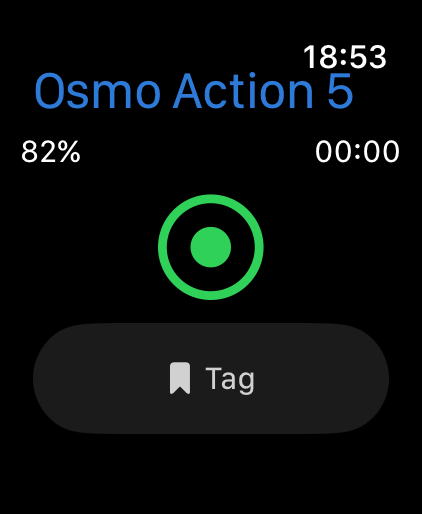
Start / stop recording
Trigger recording or take a photo from your wrist, instantly.
Tag moments
Mark the highlight while you are recording, so it is easy to find later.
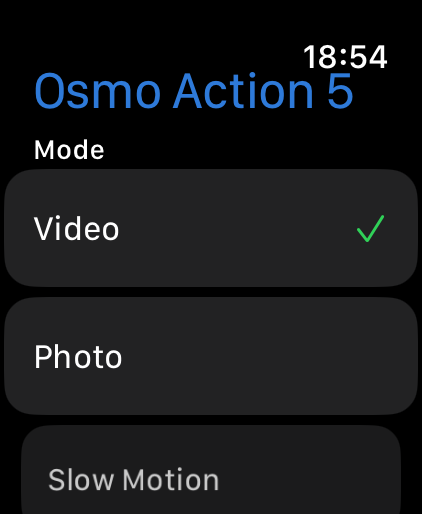
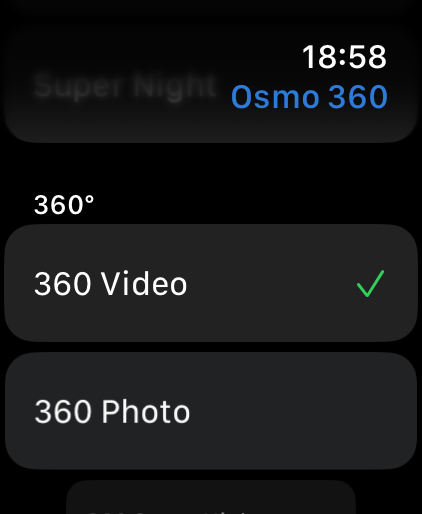
Switch capture mode
Video, photo, slow motion, timelapse, hyperlapse and loop — plus the full spherical set on a 360 camera.
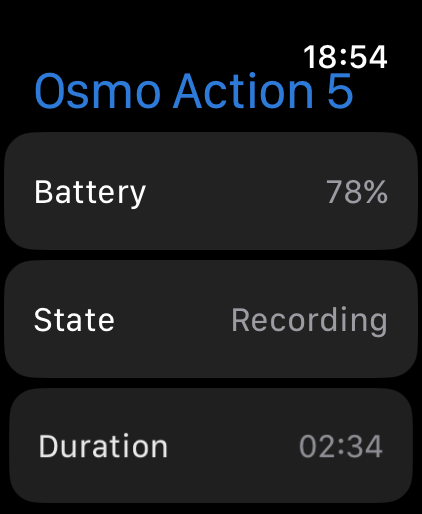
Camera information
Battery level, recording time and free card space at a glance.
Countdown before capture
Give yourself 3 to 15 seconds to get into the shot.
Fully standalone
A direct Bluetooth link to the camera — no phone, no Wi-Fi, no account.
Built for the watch
Three swipeable screens: everything you need while recording is one tap away on the middle screen, camera info sits to the left, and modes and settings to the right. The design is deliberately plain and high contrast, because you are usually looking at it in bright sunlight, in a hurry, or with gloves on. A watch face complication and a tile show the camera’s state without opening the app, and the connection stays alive while the screen is off.
Supported cameras
Switch the camera on, keep it nearby and pick it from the list — it does not need to be in any special mode. If the camera shows a four-digit code, confirm it on the camera itself; after that it reconnects silently. A sleeping camera cannot be woken over Bluetooth, so use its power button.
System requirements
Want live preview and media download?
djiControl is deliberately Bluetooth-only, so there is no live preview, no media download and no per-setting configuration such as ISO, white balance or resolution — all of that needs Wi-Fi and, in practice, a phone. If you want those, Camera Tools for DJI → does exactly that on your phone, tablet, Mac and PC. Shooting GoPro instead? goWatch → is the same idea for Hero cameras.
See it in action
Privacy
djiControl collects nothing. There are no accounts and no analytics, and the Wear OS app does not even request internet permission. Bluetooth is used solely to talk to your own camera.
djiControl is an independent third-party app. It is not made by, affiliated with, endorsed by, or sponsored by DJI or SZ DJI Technology Co., Ltd. “DJI”, “Osmo”, “Osmo Action” and “Osmo Pocket” are trademarks of their respective owners. The app is listed as “djControl” on the App Store.